
WordPress Multisite
Many WordPress sites on one install and one database, with network-wide users, themes and plugins. Free software.

WordPress Multisite runs many sites on one free install and one database. AffBulk builds each site separately and deploys it to your own CDN. I compared architecture, cost, risk and upkeep.
Many WordPress sites on one install and one database, with network-wide users, themes and plugins. Free software.
Separate static builds managed from one panel, deployed to your own Cloudflare, Bunny or server.
Summary (as of 20 October 2026): WordPress Multisite is usually the cheapest way to run many WordPress sites that belong together: the software is free and one install serves them all. AffBulk costs from $499 a month but builds every site separately, with its own code and its own place on your CDN. The choice depends on how independent the sites need to be and who maintains them.
Disclosure: this site is published with support from AffBulk, one of the three tools compared. AffBulk does not edit the text; every price comes from the vendor’s own page, checked 20 October 2026.
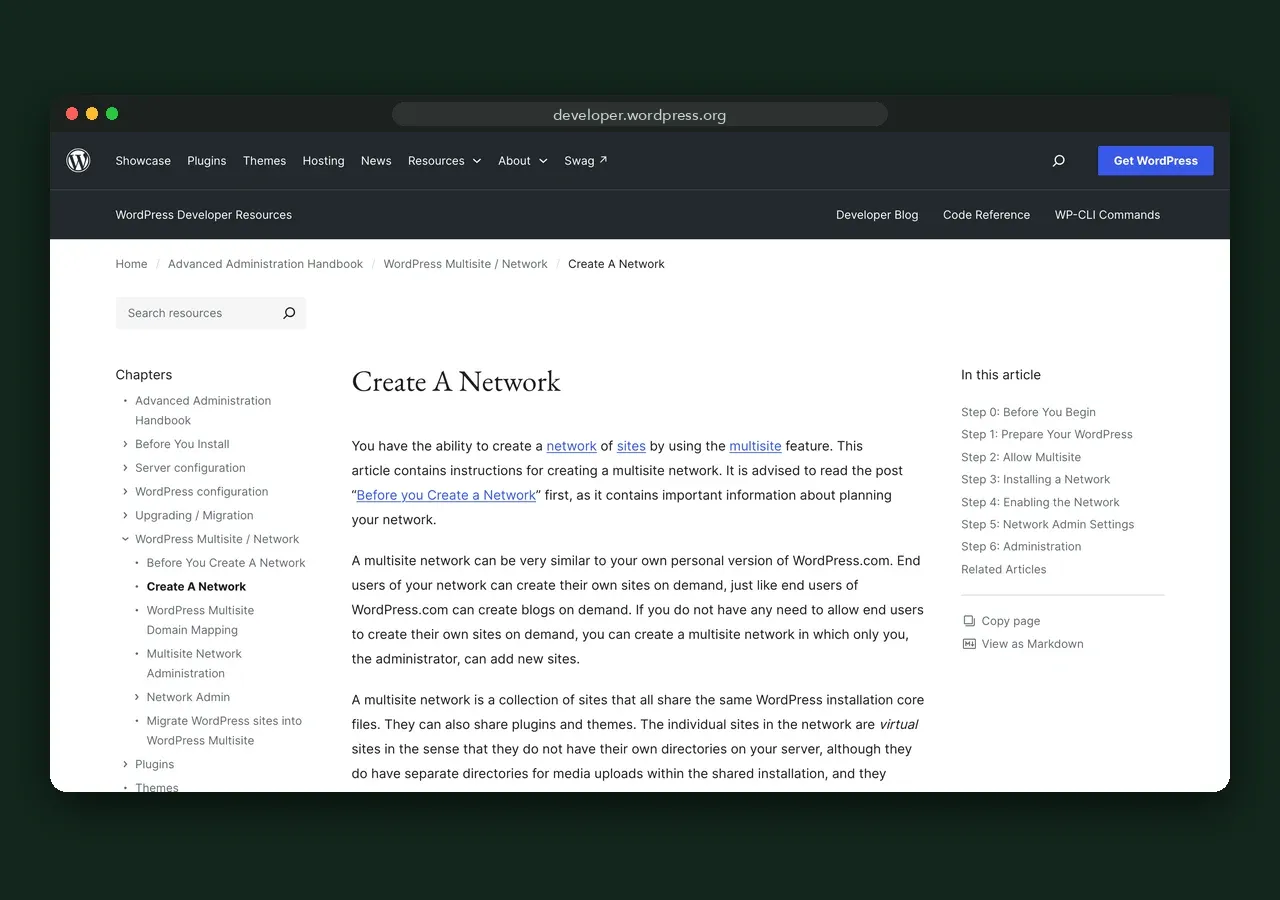
From the official WordPress documentation (last modified 14 October 2026):
In AffBulk each site is generated as its own static build with unique CSS class names, markup and asset paths, and deployed to its own target. The sites share templates, presets and link variables in the admin, not on the server.
The WordPress software is free; the bill is hosting sized by the total traffic of the network. On Kinsta, Multisite runs from $50 a month (Single 65k) to $450 (WP 40, 750,000 visits); WP Engine sells a Multisite extension on Essential plans with three or more sites. Every plan is on the pricing comparison.
AffBulk for comparison: $499 a month for up to 100 sites, $999 for 500 and $1,799 for 1,000, 20% less billed yearly, plus your own CDN. In cash, Multisite is usually cheaper; the trade-off is shared infrastructure and admin time.
| Criterion | WordPress Multisite | AffBulk |
|---|---|---|
| Software price | Free, open source | From $499/mo for 100 sites |
| Where sites run | One PHP install and database | Separate static builds on your CDN or server |
| Shared between sites | Database, codebase, plugins, users, usually server and IP | Admin panel, templates, presets |
| Bulk changes | Network-activated plugins and themes; content per site | Presets, link variables, bulk deploy |
| Updates | Core, themes and plugins for the whole network | Nothing to patch on static sites |
| Plugins | Largest ecosystem; network licences often cost more | Features built in |
| Languages | Plugins | Built in, automatic hreflang |
| Monitoring | Plugins or external services | Uptime, index and DMCA checks, Search Console |
| AI search | Schema and llms.txt via plugins such as Yoast SEO | Static HTML, automatic schema, llms.txt file |
| Setup | Server access, wp-config.php, rewrite rules | Admin account, onboarding |
| One site has a problem | Can reach every site in the network | Other builds are unaffected |
Multisite needs a WordPress administrator: core, theme and plugin updates are applied once for the network, which saves time, but each update has to work for every site. AffBulk’s published sites are static files; the ongoing work is templates, prompts and checking deploys.
The per-site option, Webflow, is in AffBulk vs Webflow and in the three-way comparison. Other ways to leave a shared network, such as separate installs with ManageWP or MainWP, are in WordPress Multisite alternatives.
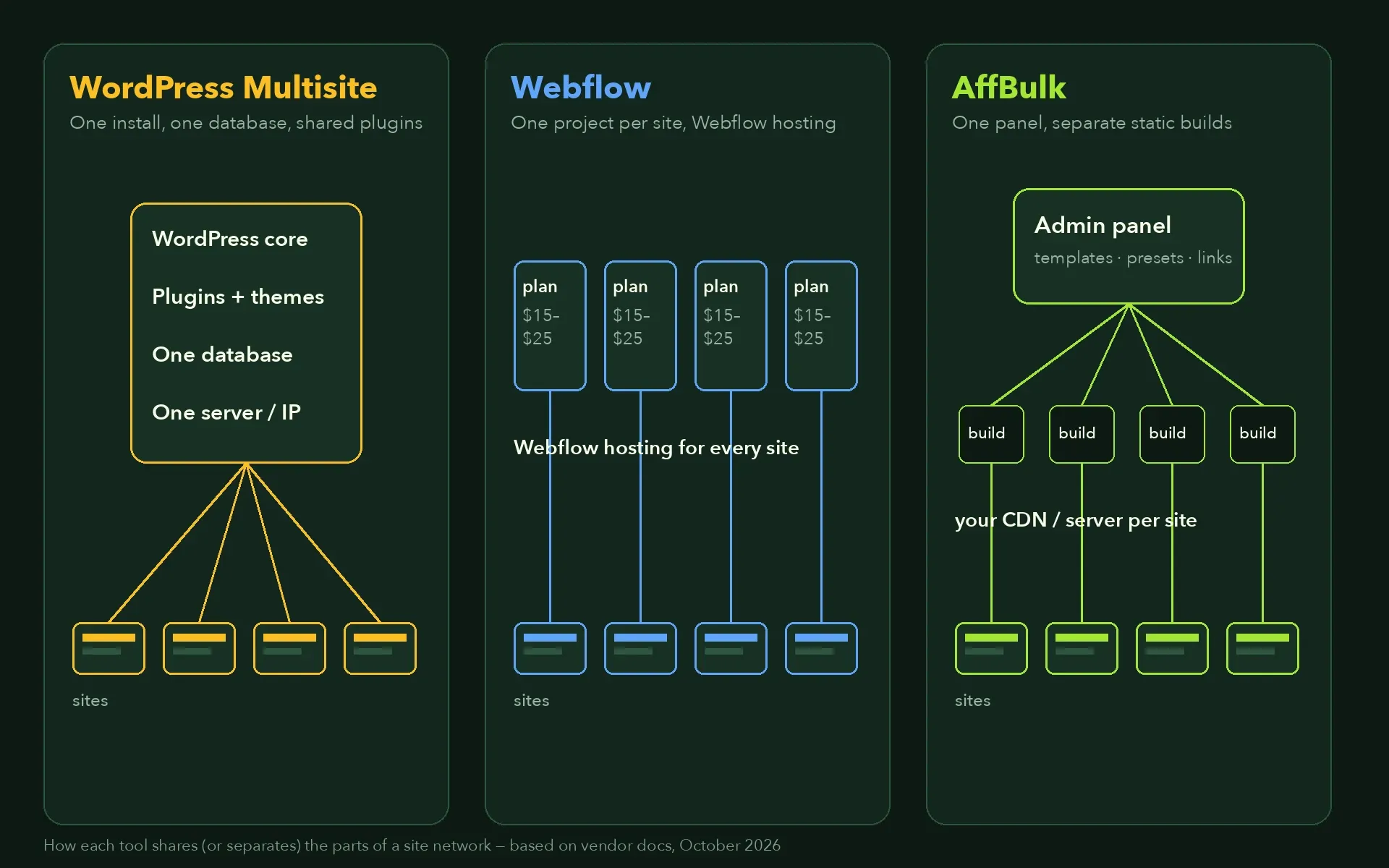
Multisite saves money and effort by sharing one install. AffBulk spends money to keep sites apart while managing them together. Webflow sits in between, with one project per site on shared hosting.
#1In cash, Multisite is usually cheaper: the software is free and one hosting plan serves the network, for example $450 a month on Kinsta WP 40. AffBulk costs $499 a month for 100 sites plus your own CDN, but every site is a separate static build with nothing shared on the server.
No. AffBulk does not run WordPress; it publishes static HTML. Features that plugins add in WordPress, such as schema, hreflang and monitoring, are built into AffBulk, and custom code can be added to a page or the whole site.
In WordPress Multisite it can: every site shares one codebase, one database and usually one server, so a faulty plugin or an outage can reach the whole network. In AffBulk each site is a separate static build on your CDN, so one site’s problem stays with that site.
Yes. The WordPress documentation says custom domains per site are possible and suggests a domain mapping plugin. Changing a network’s domain setup later is more complicated.
Senior SEO & Organic Growth Specialist · 12+ years in SEO
I am a Senior SEO & Organic Growth Specialist. My work covers technical SEO and audits, organic growth strategy, keyword research and search intent mapping, site architecture and internal linking, international and local SEO, link building and Google penalty recovery, including YMYL projects. I have worked on sites in healthcare, eCommerce, service businesses, B2B, technology and content publishing, both as a long-term lead and as an auditor and consultant. For this research I priced every tool from its vendor’s own pages, read the official documentation, cited every number with its source and date, and I re-check everything every quarter. Questions or corrections are welcome on LinkedIn.